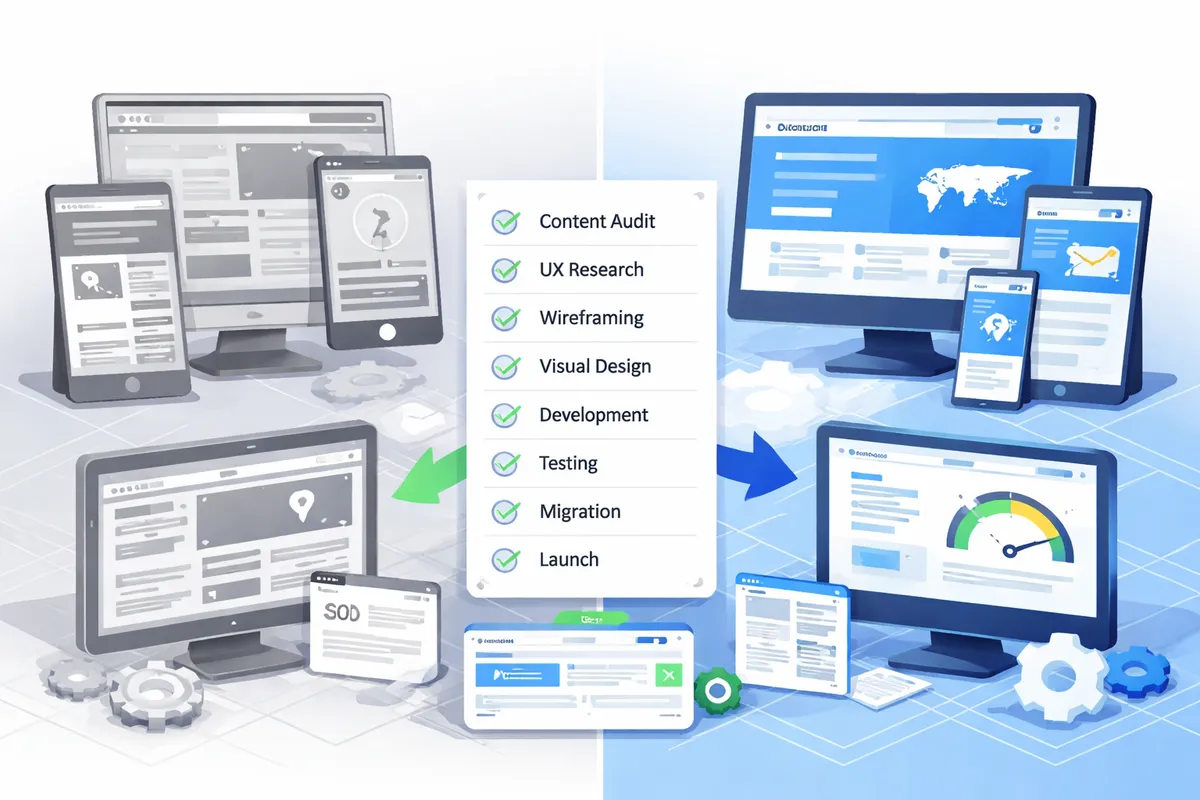
Phase 2: Design and Content (3 to 6 Weeks)
Design
- [ ] Create wireframes for all page templates. Wireframes define layout and content hierarchy without visual design, allowing stakeholders to evaluate structure before getting distracted by colors and fonts.
- [ ] Design mobile-first. Over 60% of web traffic is mobile. Design the mobile experience first, then expand to tablet and desktop. Designing desktop-first and shrinking to mobile creates compromised mobile experiences.
- [ ] Get stakeholder approval on wireframes before moving to visual design. Changing layout after visual design is 3 to 5 times more expensive than changing wireframes.
- [ ] Design visual concepts for homepage and 2 to 3 key page templates. These establish the design direction for the entire site.
- [ ] Get stakeholder approval on visual direction. Collect feedback from all decision-makers simultaneously to avoid serial revisions.
- [ ] Design all remaining page templates based on the approved direction.
- [ ] Design responsive breakpoints: mobile (375px), tablet (768px), and desktop (1280px+). Verify that every element works at each breakpoint.
- [ ] Design all interactive states: default, hover, active, focus, error, loading, empty, and success. Forms without error states frustrate users. Buttons without hover states feel broken.
- [ ] Create a style guide documenting colors, typography, spacing, button styles, form styles, and icon usage. This ensures consistency as the site grows beyond the initial launch.
Our UI/UX design service follows this process for every redesign project, ensuring both visual excellence and conversion effectiveness.
Content
- [ ] Write or rewrite all page content based on the content disposition plan from Phase 1. New content should be SEO-optimized with target keywords integrated naturally.
- [ ] Optimize content for target keywords. Include primary keywords in H1 headings, meta titles, first paragraph, and at least one H2. Avoid keyword stuffing.
- [ ] Write meta titles (under 60 characters) and meta descriptions (150 to 160 characters) for every page. These directly impact click-through rates from search results.
- [ ] Prepare all images: compress for web delivery, convert to WebP format where supported, and write descriptive alt text for accessibility and SEO. A typical 30-page site needs 60 to 120 optimized images.
- [ ] Create or update FAQ sections for key service and product pages. FAQs capture long-tail search queries and improve time on page by 20 to 40% on average.
- [ ] Review all content for accuracy, brand voice consistency, and legal compliance. Check phone numbers, addresses, pricing, and team information.
- [ ] Get stakeholder approval on all content before development begins. Content changes during development cause delays and increase cost.
Content marketing strategy should inform what content is created during the redesign, ensuring every page serves both user needs and search visibility goals.
Phase 3: Development (4 to 8 Weeks)
Build
- [ ] Set up staging environment that mirrors production as closely as possible. All testing happens here before anything touches your live site.
- [ ] Develop all page templates with clean, semantic HTML. Proper heading hierarchy (one H1 per page, logical H2/H3 nesting) supports both accessibility and SEO.
- [ ] Implement responsive design across all breakpoints. Test on actual devices, not just browser resize tools.
- [ ] Build all forms and conversion points. Test submission flows, validation messages, error handling, and confirmation pages.
- [ ] Integrate CMS for content management. Train content editors on the new interface before launch.
- [ ] Implement all third-party integrations documented in Phase 1. Verify data flows correctly between your site and each connected service.
- [ ] Add structured data markup (schema.org) for your business, services, FAQ sections, breadcrumbs, and any other applicable schema types. Structured data supports rich search results that increase click-through rates by 20 to 30%.
- [ ] Implement XML sitemap generation that automatically updates when pages are added or removed.
- [ ] Configure robots.txt file with appropriate crawl directives.
- [ ] Set canonical URLs on every page to prevent duplicate content issues.
- ] Implement [site speed optimization: image lazy loading, code minification, critical CSS inlining, and efficient JavaScript loading.
Pre-Launch Testing
- [ ] Test all pages on Chrome, Firefox, Safari, and Edge. Test current versions plus one version back.
- [ ] Test on physical iOS and Android devices at multiple screen sizes. Emulators miss touch interaction issues, viewport bugs, and real-world performance differences.
- [ ] Test all forms: successful submission, validation errors, required field enforcement, file uploads, and multi-step forms. Submit test entries and verify they arrive at the correct destination.
- [ ] Test every internal and external link. A single broken link on a key page erodes credibility. Use Screaming Frog or a link checker tool to audit all links on the staging site.
- [ ] Test page load speed. Target under 2.5 seconds for Largest Contentful Paint on mobile. Run Google PageSpeed Insights on every page template.
- [ ] Run Google Lighthouse audit. Target 90+ on Performance, Accessibility, Best Practices, and SEO scores.
- [ ] Test accessibility against WCAG 2.1 AA standards. Use axe DevTools for automated testing and manual keyboard navigation testing for interactive elements.
- [ ] Verify analytics tracking fires correctly on all pages. Test conversion events (form submissions, button clicks, page views) in Google Tag Manager debug mode.
- [ ] Verify conversion tracking records form submissions, purchases, and other goal completions accurately.
- [ ] Test all redirects from the redirect map. Every old URL must resolve to the correct new URL with a 301 status code.
- [ ] Test the 404 error page. Ensure it is designed (not a default server error), includes navigation, and suggests alternative pages.
- [ ] Check for broken images, missing assets, and console errors.
- [ ] Validate HTML markup with the W3C validator.
- [ ] Test with ad blockers enabled. Verify that core functionality works when common ad blockers are active.
Phase 4: Launch (1 to 2 Days)
Launch Day
- [ ] Deploy to production during lowest-traffic hours for your site. Check analytics for your lowest-traffic window (typically Tuesday or Wednesday between 2 AM and 5 AM in your primary market timezone).
- [ ] Implement all 301 redirects immediately at deployment. Redirects should be active the moment the new site goes live.
- [ ] Verify the production site loads correctly on multiple devices and browsers.
- [ ] Test all forms on production. Submit real test entries to verify the complete submission pipeline.
- [ ] Verify analytics tracking is recording pageviews and events on the live site.
- [ ] Submit the updated XML sitemap to Google Search Console. Request indexing for your top 10 pages.
- [ ] Test the site on mobile devices connected to cellular data (not wifi). This reveals real-world performance that office wifi testing masks.
- [ ] Monitor server performance, error logs, and response times for the first 4 hours after launch.
- [ ] Notify all stakeholders that the site is live. Include a link to report issues.
Post-Launch Monitoring (First 48 Hours)
- [ ] Monitor Google Search Console for crawl errors every 6 hours. New crawl errors indicate missing redirects or broken URLs.
- [ ] Check server logs and error monitoring for 404 errors. Each 404 is a redirect that was missed.
- [ ] Verify all redirects are functioning with correct 301 status codes (not 302 temporary redirects).
- [ ] Monitor page load times across all page templates. Compare against pre-launch benchmarks.
- [ ] Confirm form submissions are being received by all intended recipients. Check spam folders.
- [ ] Review real-time analytics for unusual patterns: unexpected traffic drops, high bounce rates on specific pages, or conversion tracking gaps.
- [ ] Address any user-reported issues within 2 hours. First impressions with the new site matter.
Phase 5: Post-Launch Optimization (Ongoing)
First Week
- [ ] Fix every broken link and redirect identified during 48-hour monitoring. Zero tolerance for 404 errors on pages that previously had traffic.
- [ ] Review Google Search Console for indexing issues. Check the Index Coverage report for new errors or excluded pages.
- [ ] Compare traffic patterns to pre-redesign baseline. Some fluctuation is normal in the first week. Dramatic drops indicate issues.
- [ ] Collect user feedback on the new design through surveys, customer conversations, and support ticket themes.
- [ ] Begin A/B testing key conversion elements (CTAs, form placement, headlines) if traffic volume supports it (minimum 500 visits per variant for statistically significant results).
First Month
- [ ] Compare organic traffic weekly against the 12-month pre-redesign average. Expect a 10 to 15% dip in the first 2 weeks as Google recrawls, followed by recovery and ideally improvement.
- [ ] Monitor keyword rankings for your top 50 keywords. Rankings should stabilize within 3 to 4 weeks if redirects and content are properly handled.
- [ ] Compare conversion rates to pre-redesign baseline. The redesign should show improvement within 30 days.
- [ ] Analyze user behavior with heatmaps and session recordings on top 10 pages. Identify where users struggle, where they drop off, and what they click most.
- [ ] Make data-driven adjustments based on real user behavior rather than stakeholder opinions.
- [ ] Document lessons learned while they are fresh. These inform future updates and prevent repeating mistakes.
First Quarter and Beyond
- [ ] Monthly traffic and conversion review with trend analysis
- [ ] Quarterly content refresh for top 20 pages based on search performance data
- ] Annual technical [SEO audit to identify new optimization opportunities
- ] Continuous [conversion optimization based on user behavior data
- ] Ongoing performance monitoring through [web hosting and maintenance plans
Common Redesign Mistakes That Destroy Value
Forgetting redirects. Every old URL must redirect to the equivalent new URL with a 301 status code. Missing redirects destroy search rankings overnight. A law firm we audited lost 45% of their organic traffic after a redesign because 120 of their 200 pages had no redirects. Recovery took 5 months of intensive SEO work.
Changing URLs without reason. If your current URLs are clean and descriptive (/services/accounting-services), keep them exactly as they are. URL changes require redirects, and redirects pass roughly 90 to 99% of link equity. Unnecessary URL changes create unnecessary risk. Only change URLs when the new structure meaningfully improves organization or keyword targeting.
Launching without final content. Placeholder text on a live site damages credibility with visitors and confuses search engines about your page topics. Every page that goes live must have final, approved content. If content is not ready for certain pages, do not include those pages in the initial launch.
Ignoring mobile. Over 60% of web traffic and over 70% of local search traffic comes from mobile devices. A redesign that looks stunning on desktop and breaks on mobile fails the majority of your visitors. Mobile-first design is not a nice-to-have. It is the baseline requirement.
Not preserving SEO elements. Meta tags, heading structure, internal links, image alt text, and structured data must be maintained or improved during the redesign. Dropping these elements causes ranking losses that take months to recover. Run a side-by-side comparison of old and new pages to verify nothing critical was removed.
Skipping the staging environment. Launching directly without staging testing means your visitors are your testers. Broken forms, missing images, and JavaScript errors on a live site cost real leads and real revenue. Staging catches these issues before they impact your business.
Frequently Asked Questions
How long does a website redesign take?
Simple business websites (10 to 20 pages): 6 to 10 weeks. Complex websites with custom functionality: 12 to 20 weeks. E-commerce sites with product migration: 16 to 24 weeks. These timelines include all five phases: research, design, content, development, and testing. Rushing the timeline by cutting planning or testing phases is the single most common cause of redesign failures.
Will a redesign hurt my search rankings?
It can if done incorrectly. The biggest risks are missing redirects, lost content, and degraded page performance. Following the SEO preservation steps in this checklist maintains or improves rankings in 90% of cases. A well-executed redesign often improves rankings because of better performance, improved content, and stronger technical SEO foundation. The critical requirement is the redirect map. No shortcuts.
How do I know if my site needs a redesign vs a refresh?
A redesign (new structure, new design, new technology) is warranted when: your site has not been significantly updated in 4+ years, your platform limits functionality you need, your site structure does not match your current business, or conversion rates are significantly below industry benchmarks. A refresh (visual update on existing structure) is sufficient when: your site's structure and functionality work well but the visual design feels dated. Refreshes cost 40 to 60% less than full redesigns and carry less SEO risk.
Should I redesign all at once or in phases?
For sites under 100 pages, a full redesign launched at once is typically more efficient. You avoid maintaining two design systems simultaneously and the redirect mapping is simpler. For sites over 500 pages, phased rollouts starting with the highest-traffic sections reduce risk and let you learn from each phase. The phased approach adds 30 to 50% to the total timeline but reduces the chance of a catastrophic traffic loss.
How much does a website redesign cost?
Small business redesigns (10 to 30 pages): $8,000 to $25,000. Mid-market company redesigns (50 to 200 pages): $25,000 to $75,000. Enterprise redesigns (500+ pages with complex integrations): $75,000 to $250,000+. Cost depends on page count, custom functionality, content creation needs, and integration complexity. Our website design services include detailed scoping so you know the investment before work begins.
What is the most important thing to get right in a website redesign?
The redirect map. If every old URL correctly redirects to the appropriate new URL, you preserve your search equity, your inbound links continue working, and your visitors find what they are looking for. Everything else in a redesign can be adjusted after launch. Lost redirects cause permanent damage to search rankings that takes months to recover from. Invest the time upfront.