What Good Internal Tools Look Like
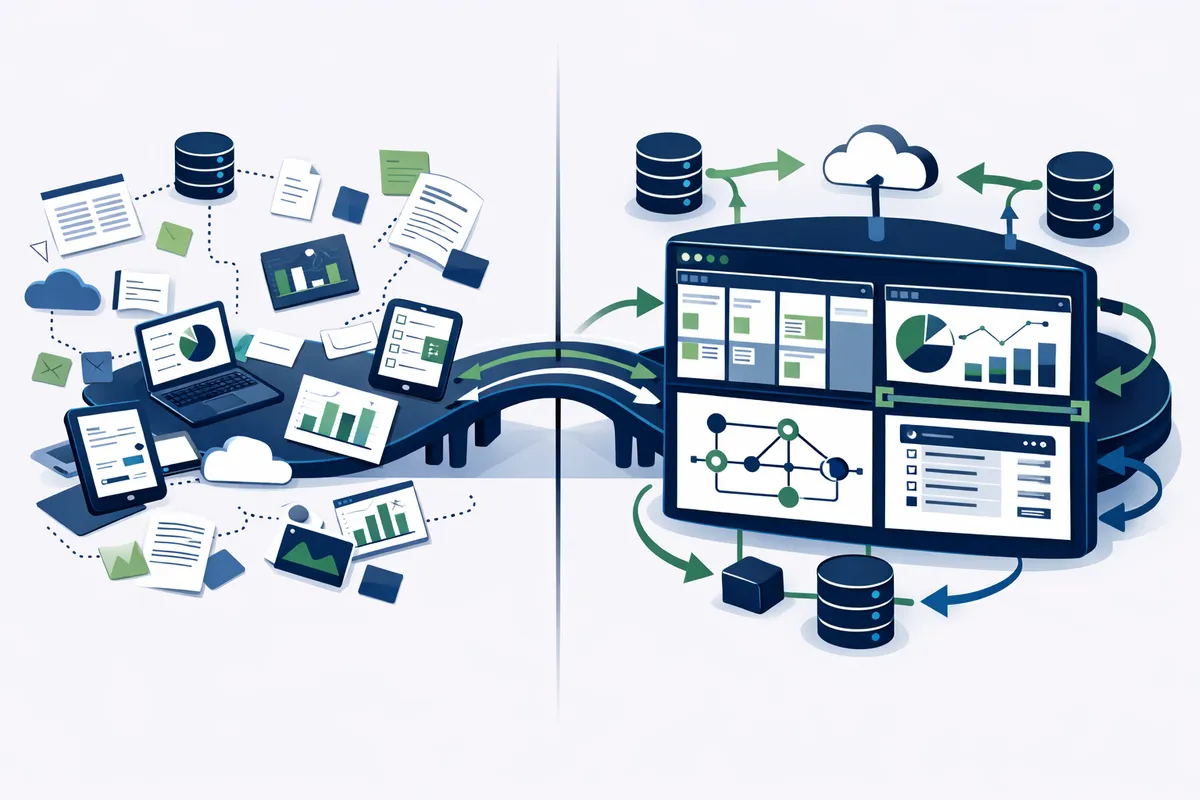
The best internal tools share three qualities: they are simple, they are fast, and they are focused. They do one thing well rather than trying to replace five different products.
Single-purpose tools that eliminate specific pain points. A customer lookup tool that pulls data from your CRM, payment system, and support tickets into one view. An order management dashboard that shows status, exceptions, and available actions in real time. A reporting tool that generates the weekly report your operations manager builds manually every Friday. Each tool solves one clear problem completely.
Interfaces that require zero training. If your team needs a manual to use the tool, the tool is too complex. Good internal tools follow conventions your team already understands. Tables look like spreadsheets they are familiar with. Buttons are labeled with the action they perform. Status indicators use colors and icons that are immediately obvious. A new hire should be productive with the tool within their first hour, not their first week.
Speed that matches human thought. Internal tools must be fast. When a support agent is on the phone with a customer, a lookup tool that takes 8 seconds to load a record is too slow. The best internal tools return results in under 500 milliseconds, which means the data is ready before the user finishes their thought. Server-rendered applications with optimized database queries and smart caching deliver this performance consistently.
Mobile and tablet support where it matters. Warehouse teams, field service workers, and managers who move between meetings need tools that work on tablets and phones. Not every internal tool needs mobile optimization, but tools used away from a desk must render and function correctly on smaller screens.
Common Types of Internal Tools
Admin panels and back-office dashboards. These give your operations team a centralized view of business activity. Order status, customer accounts, inventory levels, and key metrics in one place. A well-built admin panel replaces the daily routine of logging into six different services to piece together what happened overnight.
Workflow and approval systems. Purchase order approvals, content review pipelines, employee onboarding checklists, and client intake processes all follow defined sequences of steps. Custom workflow automation tools enforce these sequences, notify the right people at the right time, and create audit trails automatically.
Data entry and collection tools. Field inspection forms, customer intake questionnaires, and inventory count interfaces that validate data on entry, calculate derived values automatically, and push results to your core systems without manual export and import steps.
Reporting and analytics dashboards. Real-time visualizations of the metrics your team needs to make decisions. Unlike generic BI tools, custom dashboards show exactly the KPIs your business cares about, in the format your team finds most useful, with drill-down capabilities that answer follow-up questions without requiring a data analyst.
Integration hubs. Tools that connect systems which do not natively communicate. Your booking and scheduling platform, your invoicing system, and your project management tool may all need to share data. A custom integration hub moves data between them automatically, eliminating the manual syncing that consumes hours each week.
Technology Choices for Internal Tools
Internal tools do not need cutting-edge technology. They need reliable, maintainable technology that your current or future development team can extend without specialized knowledge.
For data-heavy tools. Server-rendered applications built with frameworks like Next.js or Rails provide fast initial page loads and handle complex data displays efficiently. PostgreSQL handles the querying needs of most internal tools with room to grow. TanStack Table provides sorting, filtering, and pagination for data grids that handle thousands of rows without performance degradation.
For workflow and form-driven tools. React or Vue with form libraries like React Hook Form provide robust validation, multi-step form flows, and conditional field logic. Server-side validation ensures data integrity regardless of what happens on the client. Zod or similar schema validation libraries enforce data rules consistently across the frontend and API.
For dashboards and visualizations. Chart libraries like Recharts or D3.js render metrics and trends. Real-time updates through WebSockets or server-sent events keep dashboards current without manual refreshes. Responsive CSS ensures dashboards render correctly on the 27-inch monitors in your office and the tablets on your warehouse floor.
API integrations. REST and GraphQL APIs connect your internal tool to the systems your business already uses. Data flows between your CRM, accounting software, project management tools, and custom databases without manual intervention. Well-designed integrations include error handling, retry logic, and logging so you know immediately when a sync fails rather than discovering it days later. Building on top of custom business software that is designed for integration from the start reduces development time significantly.
The Build Process
Building an internal tool follows a focused process that prioritizes understanding workflows before writing code.
Discovery: 1 to 2 weeks. Interview the people who will use the tool daily. Shadow them as they perform the current process. Document every step, every workaround, every frustration. The goal is to understand not just what they do, but why they do it that way and what they wish they could do instead. Discovery interviews typically reveal that the process the team follows differs significantly from what management thinks the process is.
Design: 1 to 2 weeks. Translate discovery findings into wireframes and user flows. Review them with the actual users. Iterate based on their feedback. This is not about making things pretty. It is about validating that the tool's layout, navigation, and workflow match how the team thinks about their work. Two rounds of review with end users catches 80% of usability issues before a single line of code is written.
Build: 3 to 6 weeks. Develop the tool in phases, delivering working features every one to two weeks. Each delivery gives the team something to test in their real workflow. Building iteratively means feedback from week two informs development in week three. Problems surface early when they are cheap to fix rather than late when they require rework.
Deploy and iterate: ongoing. Launch the tool with a subset of users first. Monitor adoption, collect feedback, and fix issues quickly. Expand to the full team after the initial group validates that the tool works reliably. Plan for a month of active adjustment after launch as the team discovers edge cases and workflow variations that the discovery process missed.
Maintenance and Evolution
Internal tools are not projects with an end date. They are living systems that evolve with your business.
As processes change, the tool changes with them. A new product line, a change in approval hierarchy, a new integration requirement. Clean architectures built with modular components make these modifications straightforward. New fields, new workflow steps, and new integrations can be added without rebuilding from scratch.
Regular maintenance keeps tools reliable. Security patches, dependency updates, database optimization, and performance monitoring are ongoing needs. Neglecting maintenance leads to the same frustrations that made you build the tool in the first place: slow performance, bugs that persist for months, and workarounds that defeat the purpose.
Usage analytics reveal improvement opportunities. Track which features your team uses most, where they spend the most time, and which workflows have the highest drop-off rates. These patterns reveal opportunities for further optimization. A report that 40% of users generate manually despite an export button being available tells you the export feature does not meet their needs.
ROI Calculation Framework
Use this framework to evaluate whether a custom internal tool is worth the investment.
Step 1: Calculate current cost. Number of people performing the process, multiplied by time spent per person per week, multiplied by their loaded hourly cost (salary plus benefits divided by 2,080 hours), multiplied by 52 weeks. A process that takes 3 people 45 minutes each per day at $40/hour loaded cost equals $23,400 per year.
Step 2: Estimate post-tool cost. The same process with the tool in place. If the tool reduces 45 minutes to 10 minutes, the new annual cost is $5,200. Annual savings: $18,200.
Step 3: Compare to build cost. If the tool costs $20,000 to build and $3,000 per year to maintain, it breaks even in 14 months and saves $15,200 every subsequent year. Over five years, the return is $73,000 on a $32,000 investment (build plus maintenance).
Step 4: Factor in intangibles. Reduced errors, faster onboarding for new hires, improved employee satisfaction, and better data quality all have value that is harder to quantify but real. Teams that stop fighting their tools and start using tools that work for them produce better outcomes across every metric.
FAQ
How much does it cost to build a custom internal tool?
Simple tools like a data lookup panel or a single-purpose form system typically cost $8,000 to $15,000. Medium-complexity tools with multiple views, role-based access, and two to three integrations run $15,000 to $40,000. Complex tools with workflow engines, real-time dashboards, and extensive integrations range from $40,000 to $100,000 or more. The primary cost driver is the number of integrations and the complexity of the workflow logic, not the number of screens.
How long does it take to build an internal tool?
Simple tools take 4 to 6 weeks from discovery to launch. Medium-complexity tools take 8 to 12 weeks. Complex tools with extensive integrations and workflow logic take 12 to 20 weeks. These timelines include discovery, design, development, testing, and initial deployment. Rushing discovery to save a week typically adds three to four weeks of rework later when the tool does not match actual workflows.
Should I use a low-code platform or custom development?
Low-code platforms like Retool, Appsmith, or Budibase work well for straightforward data display and simple CRUD operations. They can deliver basic tools in days rather than weeks. Custom development is better when you need complex business logic, tight integration with existing systems, specific performance requirements, or full control over the user experience. Many teams start with low-code for quick wins and graduate to custom builds for mission-critical tools.
How do I get my team to actually use the new tool?
Involve them in the process from discovery through launch. People use tools they helped design because the tool reflects their actual workflow rather than someone else's assumption about their workflow. Launch with a small group of champions first. Let them become internal advocates. Address feedback quickly in the first month. Nothing kills adoption faster than reported bugs that persist for weeks.
What happens if our processes change after the tool is built?
Well-architected tools accommodate process changes through configuration rather than rebuilding. Role-based permissions, configurable workflow steps, and flexible data models mean many changes can be made without developer involvement. Larger changes like new integrations or fundamentally different workflows require development work, but modular architecture keeps these modifications scoped and affordable.
Can an internal tool replace multiple SaaS subscriptions?
In many cases, yes. A custom admin panel that replaces three or four specialized SaaS tools at $100 to $300 per month each saves $3,600 to $14,400 per year in subscription costs alone. The bigger savings come from eliminating the manual data transfer between those disconnected tools. However, evaluate carefully. If a SaaS tool does 90% of what you need for $50/month, building a custom replacement is rarely justified. Custom tools deliver the most value when no existing product fits your process well.