How We Build Workflow Automation for West Loop
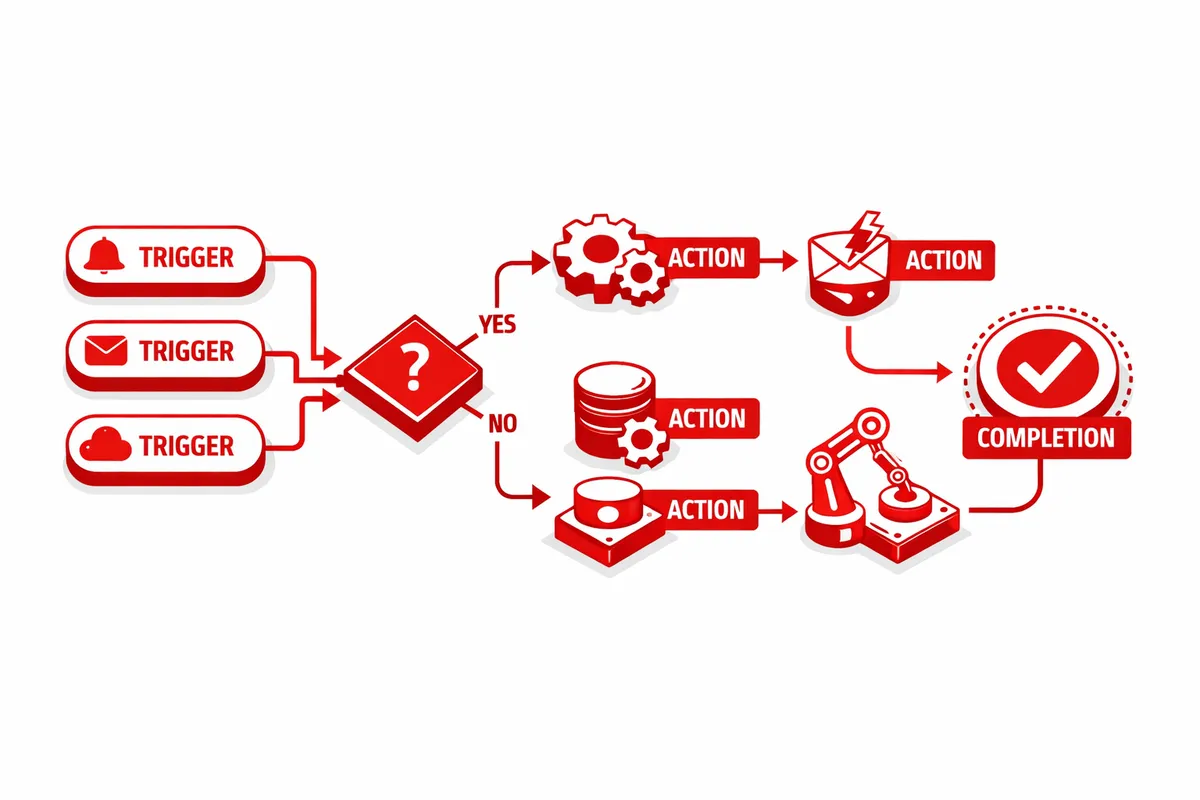
Workflow automation for West Loop businesses starts with process documentation. We map the specific workflows that are candidates for automation: the process steps, the decision points, the inputs and outputs, the systems involved, and the current manual touchpoints that automation would replace. Process documentation is the foundation of automation that actually works rather than automation that was built for an idealized version of the process rather than how it actually runs.
From the process documentation, we identify the automation approach appropriate for each workflow. Simple workflow automation uses tools like Zapier, Make, or similar platforms to connect existing systems through API integrations and trigger-based automation. Complex workflow automation may require custom development, particularly when the process involves conditional logic, multiple system integrations, or business-specific decision rules that no-code platforms cannot accommodate. We match the automation approach to the workflow complexity rather than defaulting to either custom code or no-code platforms regardless of fit.
For West Loop businesses with multiple candidate processes, we prioritize automation by business impact: which processes create the most friction, consume the most staff time, or create the most consistency problems? The first automations implemented should produce visible operational improvement quickly, building the organizational confidence that makes subsequent automation investments easier to prioritize and justify.
Integration is central to workflow automation value. Automation that moves data between systems that were not designed to exchange data creates the connections that make the overall workflow operate smoothly. A West Loop restaurant group's inventory ordering workflow needs to receive data from the point-of-sale system and the inventory tracking system and send data to the vendor communication platform. The automation is only as useful as the integrations that connect the data sources and the action systems.
Testing before deployment is thorough. Workflow automations that are deployed without testing produce cascading errors: the first wrong execution generates more wrong data, which the next execution processes incorrectly, which the next step builds on incorrectly. We test automations against real operational scenarios, including the edge cases that reveal automation logic gaps, before they run on live production data.
Industries We Serve in West Loop
Restaurant and hospitality groups on Randolph Street and Fulton Market use workflow automation for inventory management and vendor ordering, private dining inquiry and follow-up sequences, guest communication workflows including confirmation and post-visit follow-up, event planning coordination, and the operational reporting that managers need without having to compile it manually from multiple systems.
Legal and professional services firms on Madison Street use workflow automation for matter intake and setup, conflict check workflows, document preparation for standard matter types, billing review and approval routing, and the client communication touchpoints that can be systematized without requiring attorney drafting of each message. Automation for legal workflows is designed with the human review points that professional responsibility requires.
Tech companies and startups on Lake Street and Fulton Market use workflow automation for customer onboarding sequences, trial-to-paid conversion workflows, customer success check-in scheduling, support ticket routing and escalation, and the internal operations processes that consume engineering and operations time disproportionate to their strategic value.
Creative and advertising agencies near Morgan Street and Halsted Street use workflow automation for new business inquiry handling and follow-up, project briefing and kickoff coordination, deliverable review routing, client reporting compilation, and the administrative workflows that allow account managers to spend more time on strategic client work and less on coordination overhead.
Financial technology companies near Halsted Street use workflow automation for customer communication sequences, document processing workflows, compliance monitoring and alerting, and the operational workflows that scale financial services processes without scaling headcount proportionally.
Real estate development and commercial leasing in West Loop uses workflow automation for prospect inquiry follow-up, showing scheduling and confirmation, due diligence document request management, and the lease preparation workflows that support the commercial leasing process from initial interest through executed lease.
What to Expect Working With Us
1. Process documentation and automation prioritization. We document the specific workflows your West Loop business needs to automate, assess the automation feasibility and impact of each, and prioritize the sequence that produces the fastest path to visible operational improvement. Prioritization ensures that the first automations deployed create the confidence and the operational headroom that make subsequent automations easier.
2. Automation design and integration architecture. We design the automation logic for each priority workflow, identify the integration requirements between the systems involved, and design the error handling and exception routing that makes the automation reliable in production rather than in ideal conditions only.
3. Build, test, and deployment. We build the automation using the appropriate platform or custom development, test against real operational scenarios including edge cases, and deploy to production with monitoring in place. For West Loop businesses with live production operations, deployment is managed to avoid disruption to ongoing operations.
4. Monitoring, maintenance, and ongoing development. We monitor automation performance, address failures when they occur, and maintain the automation as the underlying systems and processes evolve. Workflow automations require ongoing maintenance because the systems they connect update their APIs, because business processes change, and because new edge cases emerge from real operational use that the initial design did not anticipate.