How We Build Document Management for Pilsen
Document management implementation starts with a document audit. We catalog the types of documents your organization creates, receives, and stores. We assess the current storage approach, the access patterns, and the specific pain points: the documents that are hardest to find, the workflows that most require automation, the compliance requirements that most need systematic support.
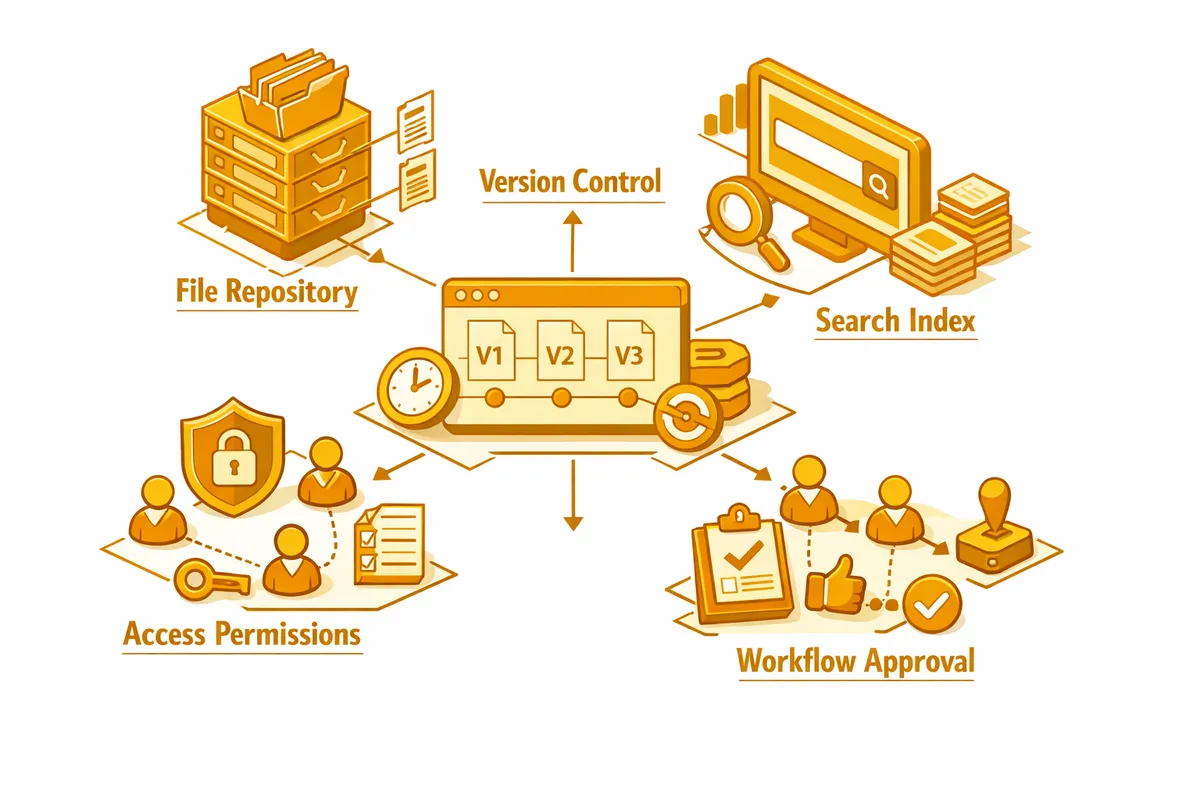
From the audit, we design the document architecture. What folder structure or metadata schema makes your specific documents most findable? For most organizations, a combination of folder hierarchy and searchable metadata produces better retrieval than folder structure alone. A gallery can find all documents related to a specific artist or exhibition through a metadata tag search rather than navigating a folder hierarchy that assumes someone knew which folder to put the document in when it was created.
Platform selection matches the DMS to your organization's environment and needs. For Pilsen small businesses already using Google Workspace, Google Drive with proper folder structure, sharing settings, and naming conventions is often the right starting point, augmented with third-party tools for retention management and approval workflows. For organizations with more complex requirements, platforms like SharePoint, Box, or dedicated DMS platforms like M-Files or DocuWare provide more sophisticated metadata management, workflow automation, and compliance features.
Migration moves your existing documents from wherever they are currently stored into the new system. We develop the migration plan, execute the migration with appropriate file organization and metadata tagging, and verify that documents are findable and complete after migration.
Access control configuration establishes who can access, edit, share, and delete different categories of documents. For a Pilsen professional services firm, that might mean clients can access their own matter documents through a portal, staff can access all matter documents for their assigned clients, and partners can access all documents. Role-based access control is the mechanism that enforces those permissions.
Workflow automation handles the document routing and approval processes that currently happen through email. A new contract goes to the appropriate reviewer for approval, the reviewer's changes are tracked and version-controlled, the approved version is routed to the client for signature, and the fully executed contract is filed automatically in the correct location.
Industries We Serve in Pilsen
Service businesses on Damen, Ashland, and throughout Pilsen's commercial corridors use document management to organize project documentation, client contracts, proposals, and correspondence in systems that make the right document accessible in seconds rather than minutes.
Community organizations serving Pilsen's residents use document management to meet grant retention requirements, maintain participant files with appropriate access control, manage program materials across multiple languages, and give remote staff reliable access to organizational documents.
Galleries and arts organizations in the Chicago Arts District use document management to organize consignment agreements, exhibition contracts, loan agreements, and artist correspondence in systems that support both operational retrieval and legal documentation requirements.
Professional services businesses use document management to organize matter files, maintain client communication records, manage contract and agreement execution, and meet the specific retention and audit requirements of their professional practice area.
Restaurants and food businesses use document management to maintain health permits, vendor contracts, lease documents, employee records, and food safety documentation in organized, accessible systems that support both operations and compliance requirements.
What to Expect Working With Us
Document audit. We catalog your document types, assess current storage approaches, and identify the most significant document management pain points and compliance requirements.
Architecture design. We design the folder structure, metadata schema, and access control model that best serves your specific document situation.
Platform selection and setup. We recommend the appropriate platform, configure it for your architecture, and set up the automation and workflow features that address your specific requirements.
Migration. We execute the document migration, including naming convention normalization, metadata tagging, and verification that all documents are accessible in the new system.
Training. We train your team on using the new system, including how to save documents correctly, how to use search to find documents, and how to use any workflow automation features.