How We Build Workflow Automation for Oak Park
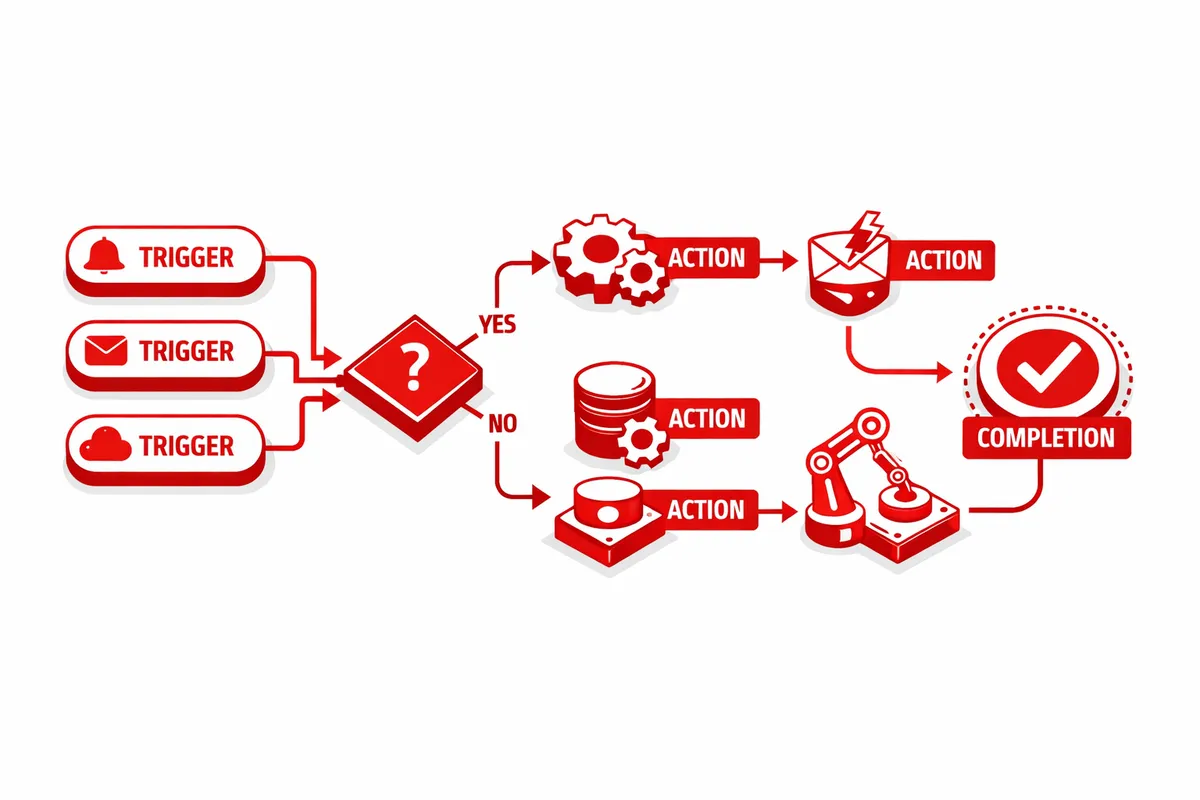
We start with a process audit. Every repeatable workflow in your Oak Park business gets documented: the steps, the parties involved, the triggers, the timing, and the current manual coordination required. For a law practice, that documentation covers intake, conflict checking, matter opening, document drafting, client communication, billing, and deadline tracking. For a real estate office, it covers listing preparation, showing coordination, offer processing, transaction management, and closing coordination.
From the process documentation, we identify which workflows are high-frequency and rules-based (automate immediately), which are multi-step with conditional logic (automate in the second phase), and which require human judgment at every step (leave to the professional, support with better information delivery). Most Oak Park professional services firms have fifteen to thirty automatable processes once the audit is complete.
Integration is the technical foundation. Oak Park law practices typically use Clio or MyCase for practice management, QuickBooks or similar for accounting, and Microsoft 365 or Google Workspace for document management and communication. We connect those systems so data flows between them without manual re-entry. When a new matter opens in the practice management system, the client record creates in accounting, the file folder structure creates in document management, the billing arrangement sets up, and the welcome email sequence triggers. Every step that currently requires someone to log into a different system and copy information over happens automatically.
For Oak Park's design and architecture firms near Harlem Avenue, we build project intake automation that converts accepted proposals into active project records, creates the initial project schedule based on the project type and scope parameters, assigns the project team, and sets up the client communication cadence. The project manager starts with a structured project record rather than a blank file.
Industries We Serve in Oak Park
Law and professional practices on Oak Park Avenue, Lake Street, and Madison Street automate client intake, conflict checks, matter opening, document generation, court deadline tracking, and billing. Illinois Rules of Professional Conduct require certain client communication timelines; automated workflows ensure engagement letters go out within required windows, status updates reach clients on schedule, and trust account transactions are documented properly. The compliance layer is built into the workflow, not added as an afterthought.
Architecture and design firms near the Frank Lloyd Wright Home and Studio and the historic preservation corridors of Oak Park automate project intake, consultant request workflows, permit submission tracking, and client milestone communication. For projects involving historic structures along Oak Park Avenue and nearby residential streets, the permit and approval process has specific sequencing requirements; automated project management workflows track those sequences and trigger the next step when each approval lands.
Therapists, counselors, and mental health practices that serve Oak Park, River Forest, and the Near West Side automate appointment scheduling, intake form collection, insurance verification, session notes reminders, and billing. For practices operating under insurance panel agreements, automated benefits verification and pre-authorization workflows eliminate the manual insurance coordination that currently consumes front office time at the beginning of every client relationship.
Real estate offices and brokers along Lake Street and Madison Street automate transaction coordination workflows that span listing preparation, showing scheduling, offer processing, inspection coordination, title and escrow communication, and closing preparation. When a transaction enters contract, the automation creates the transaction record, populates the key dates from the contract, assigns the coordination checklist, and begins the automated communication sequence that keeps all parties informed through closing.
Independent retailers and specialty shops in the Oak Park downtown district between Ridgeland Avenue and Harlem Avenue automate inventory management, vendor reorder triggers, customer communication sequences, and seasonal campaign workflows. For retailers with both in-store and online channels, automation synchronizes inventory between channels in real time so the same item cannot be oversold simultaneously through two different systems.
Accountants, financial planners, and wealth management practices serving Oak Park and the western suburbs automate client onboarding, document collection, annual review scheduling, and compliance reporting workflows. Tax season document request workflows that go out automatically to each client, collect the required documents, confirm receipt, and route to the preparer replace the manual email coordination that currently costs each firm multiple hours per client during peak season.
What to Expect Working With Us
1. Process audit and automation map. We spend two weeks documenting your workflows and producing a prioritized automation map. The map shows every automatable process, ranked by the combination of time cost and error frequency. Oak Park law practices typically identify between twenty and forty automatable processes; the audit shows which ten deliver the fastest return.
2. Integration architecture design. We design the connections between your existing platforms before building anything. For most Oak Park professional services firms, this means connecting a practice management or project management platform, an accounting system, a document management environment, and a communication platform. The architecture design specifies exactly how data flows between each system.
3. Core automation deployment. The first wave goes live within two weeks and covers the high-frequency, rules-based processes: client onboarding triggers, document routing, appointment confirmations, and scheduled status communications. Most Oak Park firms see ten to fifteen hours per week of recovered staff time in the first month.
4. Advanced workflow buildout. The second and third phases address multi-step processes with conditional logic: matter lifecycle automation, project phase management, transaction coordination, and exception handling for processes that deviate from the standard path. These phases typically complete within six to eight weeks of the initial deployment.