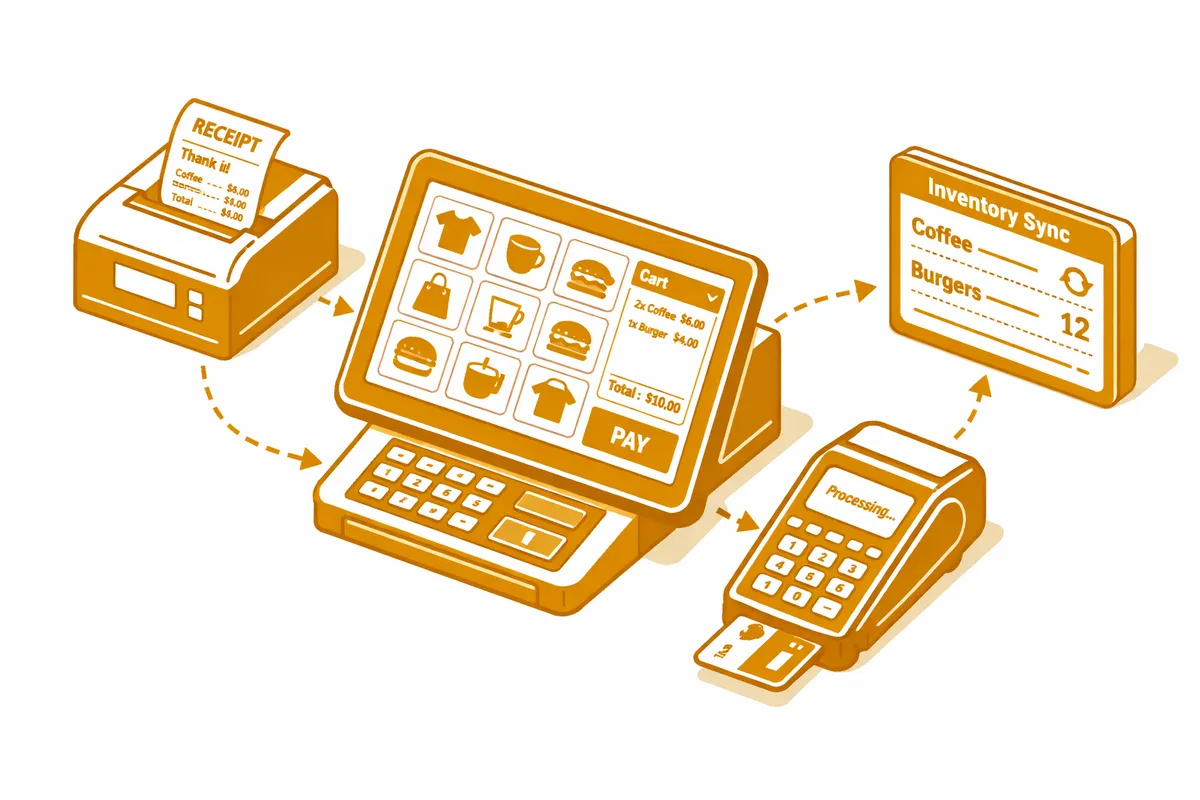
How We Build POS Systems for McKinley Park
McKinley Park implementations are designed for operational clarity and ease of maintenance by owner-operators who do not have IT support on staff. Platform selection emphasizes reliable hardware, intuitive interfaces, and the feature depth needed for the specific business without unnecessary complexity that increases training time and support calls.
For family restaurants on Archer Avenue, we typically evaluate Square for Restaurants at its mid-tier or Toast at its foundational configuration. Both provide the table management, kitchen printing, and inventory tracking that a full-service neighborhood restaurant needs without the enterprise complexity that creates ongoing configuration burden. The choice between them often comes down to hardware preferences and whether the operator is already in one ecosystem.
For light retail and specialty food shops near the McKinley Park branch library and on 35th Street, Clover or a basic Lightspeed Retail configuration provides the item-level inventory tracking, sales reporting, and cash management that a neighborhood retailer needs at a cost structure appropriate for the revenue volume of these businesses.
Cash management configuration is a priority for every McKinley Park implementation. We set opening drawer amounts, configure the safe drop workflow for intra-day cash management, and build the close-of-day reconciliation that produces an accurate variance report without a manual count-then-enter process. For businesses with multiple staff members handling cash across a shift, individual cashier accountability within the same system keeps the responsibility chain clear.
Training is kept practical for McKinley Park operators. We do not train beyond what the business actually needs, and we make sure the owner understands the configuration at a management level so that routine tasks like adding a new menu item or running a weekly sales report do not require a support call.
Industries We Serve in McKinley Park
Family-owned restaurants and taquerias on Archer Avenue serve the neighborhood's daily dining needs with the lunch and dinner service that a Southwest Side family restaurant provides. We configure these businesses with table management that matches the dining room's actual floor plan, kitchen printing that sends orders to the kitchen without verbal relay, and the daily sales report that breaks revenue down by item so the owner knows exactly what is driving the business. For restaurants with a significant carryout business, the carryout workflow integrates with the table service mode so that a single register handles both without staff confusion.
Neighborhood bars and taverns near Central Park Theater on 35th Street manage the tab-based service, cash-heavy transaction mix, and the inventory management that a neighborhood bar's draft and bottle program requires. We configure bar POS for speed at the counter: fast tab open-and-close, simple modifier entry for bar orders, and the cash management workflow that handles a busy Friday night without the close taking forty-five minutes. Inventory tracking at the bottle and keg level produces the pour cost data that tells the owner whether his draft program is profitable or giving beer away.
Small grocery stores and neighborhood markets along Ashland Avenue and near the McKinley Park library handle a mix of grocery retail, prepared food, and sometimes specialty items sold by weight. We configure these operations with the mixed-category inventory that grocery retail requires, weight-based pricing for items sold by the pound, and EBT acceptance for stores serving SNAP-eligible customers. The daily inventory depletion report tells the buyer what needs to be replenished before the next delivery day.
Auto service and light contracting businesses in the industrial corridor near Pershing Road manage parts inventory and service order billing. We configure these businesses with the service order management that connects a customer job to the parts inventory and labor charges, produces a formatted invoice, and tracks outstanding balances on accounts with payment terms. For shops that also sell over-the-counter parts to walk-in customers, the retail and service order workflows run from the same terminal.
Family medical practices and neighborhood clinics serving the McKinley Park residential base collect co-payments, self-pay balances, and HSA-funded payments at the front desk. We configure these practices with the payment processing workflow that handles standard insurance co-pays, self-pay billing at the full or discounted self-pay rate, and the payment plan setup for patients managing larger balances over time.
Specialty food producers and caterers operating out of the McKinley Park area near Bubbly Creek serve both wholesale and retail customers from operations that need inventory tracking connected to production batches. We configure these businesses with the production batch inventory that tracks raw ingredient use against finished product output, the wholesale order management that handles standing orders from restaurant customers, and the retail POS for any direct consumer sales.
What to Expect Working With Us
1. Right-sizing the system. We do not sell McKinley Park operators more POS than they need. The assessment process is honest about what a neighborhood family restaurant or small retailer actually requires, and we recommend the platform and tier that fits the operation rather than the one with the highest licensing fee.
2. Cash management setup as a priority. Every McKinley Park implementation includes dedicated time on cash management configuration. We set up the drawer, the safe drop workflow, and the close-of-day reconciliation process so that cash handling is documented and the daily close is accurate.
3. Owner-focused training. Training includes not just the daily transaction workflow but the management reports and configuration tools the owner needs to run the system independently. We want the owner to be able to add a new menu item, run a weekly sales report, and adjust a price without calling us.
4. First-month support. After go-live, we provide a first-month check-in to address any configuration adjustments and answer the questions that only arise after you have been running on the system for a few weeks. The questions that come up in month one are different from the ones that come up in training.