How We Build No-Code Platforms for Hermosa
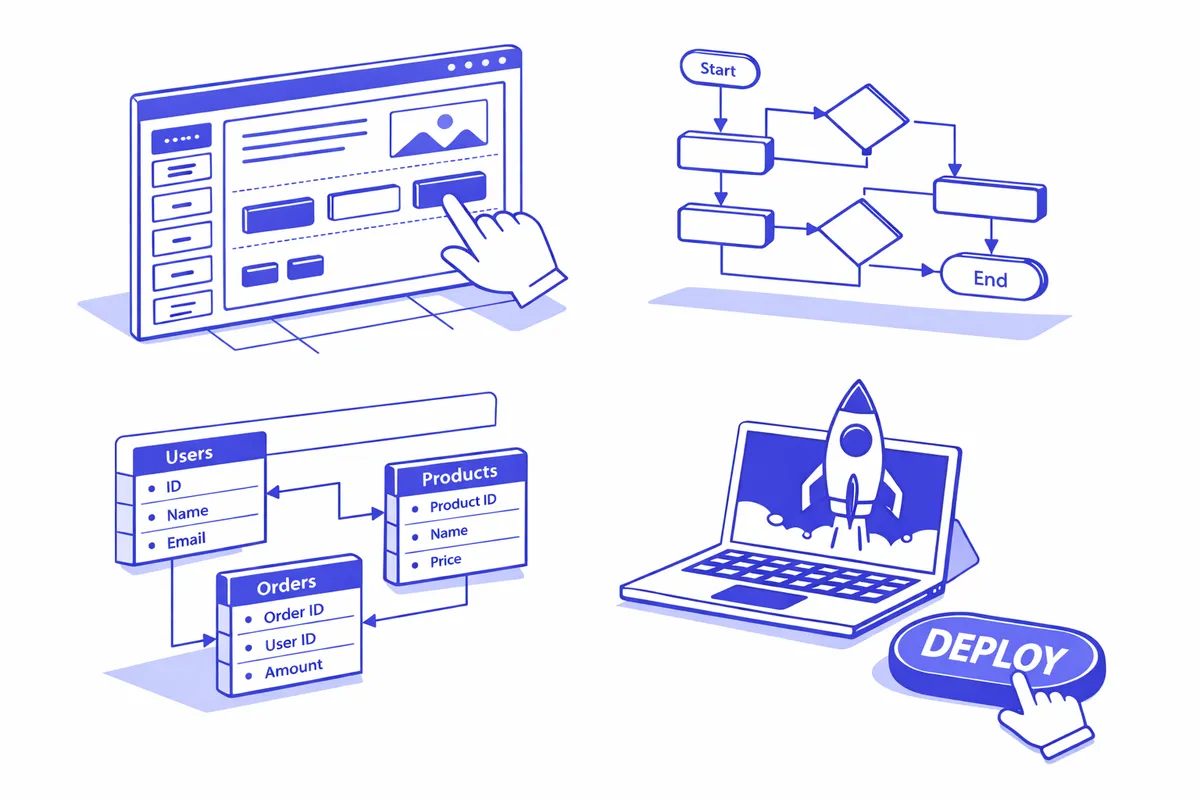
We start at the counter. Before we pick a platform we sit with you during a normal shift on Armitage Avenue or Pulaski Road and watch how the work actually moves. Where does an order get written down. Who answers the phone. What gets lost. For a Hermosa taqueria that means watching a lunch rush. For a family medical practice near Pulaski Avondale Medical it means understanding the intake paperwork patients fill out twice. The platform recommendation comes from that observation, not a sales sheet.
We design the data model before we build anything. This is the step that separates a no-code app that lasts from one that gets abandoned in a month. We map how a customer, an order, an appointment, and a payment relate to each other so the application reflects how a Hermosa business operates rather than how a software template assumes it does. You approve that structure before configuration starts.
Then we build, and we build bilingual where the business runs bilingual. A booking screen, an order tracker, or a customer database for a Fullerton Avenue salon should read in the language the staff and clients speak. We configure the workflows, connect the pieces, and test against real shift conditions, not a quiet demo. The last phase is training. We do not hand over a system and leave. We teach the owner and the front-counter staff how to add a field, change a price, and pull a customer list, so the application stays theirs long after we are done working near Kelvyn Park.
Industries We Serve in Hermosa
Taquerias and panaderias along Armitage Avenue use no-code platforms to replace order-slip chaos with a shared order tracker, especially during quinceanera season and Three Kings Day when special-order volume spikes. A simple Airtable-backed app lets the kitchen, the counter, and the family see every open order, its pickup time, and its payment status without anyone shouting across the shop.
Auto repair shops on Pulaski Road and Kostner Avenue adopt no-code platforms to turn the clipboard queue into a job-status board. A customer who drops a car near the corridor can get a text when work moves from waiting to in-progress to done, and the shop owner can finally see the day's load on one screen instead of three counter tickets.
Family medical practices near Pulaski Avondale Medical and across residential Hermosa use no-code tools to digitize patient intake and appointment reminders. Practices that handle Hermosa's dense neighborhood caseload build a lightweight scheduling and follow-up app that reduces no-shows and stops patients from filling out the same form on every visit.
Salons and barbershops on Fullerton Avenue rely on no-code platforms to fix the shared-paper-book problem that causes double-bookings. Each chair gets its own calendar, clients can be reminded automatically, and the front desk near Armitage can see the whole day across every stylist without flipping pages.
Small grocery stores in Hermosa's residential blocks use no-code platforms for inventory and supplier tracking, replacing the mental list of what is running low. A corner grocer near the Hermosa branch library can log stock, flag reorders, and track which supplier delivers what, turning guesswork into a system one person can maintain.
Churches and community organizations tied to Our Lady of Grace Parish use no-code platforms to manage event registration, volunteer scheduling, and member directories. A parish coordinating a festival or a fundraiser builds a sign-up and scheduling app that the volunteer team can run themselves, no technical staff required.
What to Expect Working With Us
1. A shift on the floor, not a conference call. We begin by spending real time in your shop on Armitage Avenue or Pulaski Road during business hours. We watch how orders, appointments, and payments actually flow, because the right platform comes from how Hermosa works, not from a generic intake form.
2. A data model you approve before we build. We map out how your customers, orders, and schedules connect and walk you through it in plain terms. Getting this right up front is what keeps the application from breaking the first time you grow, so nothing gets configured until you sign off.
3. A bilingual build, tested under pressure. We configure the application in the language your staff and customers use, then test it against a real rush rather than a quiet demo. You see a working preview throughout and tell us what is wrong while it is still cheap to fix.
4. Training so it stays your software. We teach you and your counter staff to add fields, change prices, and pull lists on your own. The point is a tool the family near Kelvyn Park can run for years without calling us back for every small change.