How We Build UI/UX Design for Englewood
Good UI/UX design starts with research. For Englewood projects, that means understanding who the actual users are, not who the organization imagines their users to be. We conduct user interviews with representative users when possible, and we review existing usage data, support requests, and abandonment patterns to understand where current interfaces fail. For a community organization building a new intake portal, we talk to case workers and clients. For a home care agency designing a scheduling interface, we talk to the coordinators and, where possible, the aides.
From research we build a clear picture of the user contexts: what device they are using, what connection quality they typically have, what tasks they need to accomplish, what prior experience they are bringing, and what barriers exist between them and successful task completion. For a Growing Home community food program portal, that research might reveal that a majority of users are accessing from mobile with limited patience for multi-step flows, which drives every decision in the design that follows.
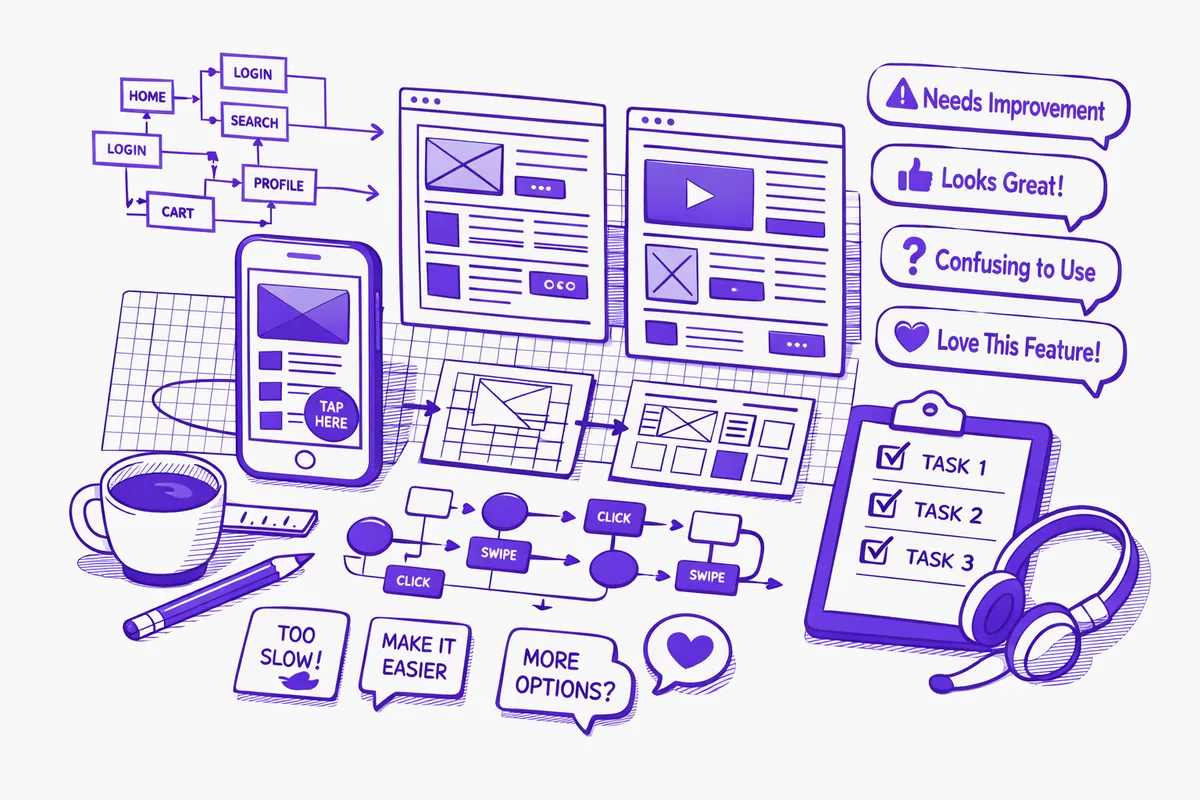
Design happens in layers: information architecture and user flows first, wireframes next, visual design last. Each layer is reviewed before proceeding. For Englewood organizations where stakeholder input is diverse, this layered approach ensures that structural decisions are made with community input before we are invested in a visual direction.
We prototype and test. Before development begins, we put prototype screens in front of representative users and watch what they do. Not what they say they would do, but what they actually do when they encounter a navigation pattern or a form flow for the first time. What we learn in a testing session with users on Halsted Street or Garfield Boulevard is the most valuable design input we can get.
Industries We Serve in Englewood
Home healthcare and personal care agencies on Ashland Avenue and Racine Avenue need UI/UX design for care coordination platforms, client intake portals, care aide scheduling interfaces, and family communication dashboards. The users of these interfaces are care coordinators managing caseloads, care aides checking their schedules on their phones, and family members monitoring care from a distance. Each group needs an interface designed for their specific task and context.
Along 63rd Street, food businesses and community kitchen enterprises that have built customer-facing ordering systems or CSA management portals need interfaces that their customers, who range from tech-savvy food enthusiasts to older residents who are less comfortable with online forms, can navigate successfully. The CSA signup that is clear and low-friction gets more subscribers than the one that requires three steps and a password creation before the user has decided to commit.
Community organizations and nonprofits near Ogden Park and Kennedy-King College build platforms for program registration, volunteer coordination, resource navigation, and community communication. These platforms serve residents across a wide range of digital literacy levels. UI/UX design that applies accessibility principles and plain-language interface text broadens the reach of programs that are valuable to the community but only accessible to the people who can figure out the portal.
Urban agriculture and food enterprises connected to Growing Home that have built digital market ordering or subscription platforms need user research to understand where customers drop off and interface redesign to recover those lost conversions. A farmers market customer who visits the online ordering page and does not complete an order has a UX problem to solve, not a product problem.
Workforce development programs based at Kennedy-King College building learning management, progress tracking, or employer-facing placement platforms need interfaces designed for training participants who may not be heavy technology users, and for employer contacts who need to assess candidates quickly. These are different user profiles requiring different interface approaches within the same system.
Churches and faith community enterprises on Garfield Boulevard building event registration, donation, or community program access tools need interfaces that work for their congregation demographics. A church where the active membership includes a significant percentage of older adults needs donation and registration flows designed for users who may not encounter digital forms regularly, not for the web developers who built the platform.
What to Expect Working With Us
1. User research and context mapping. We conduct research before designing anything. This includes user interviews with representative users, review of existing usage data if available, and a competitive review of similar interfaces. For Englewood organizations serving community populations, user research often surfaces assumptions about users that the design team held but the actual users do not share.
2. Information architecture and user flows. We map the complete structure of the interface before designing any screens: what pages or views exist, how users move between them, what the task paths are for each user type. For platforms serving multiple user groups, such as a care agency system used by coordinators, aides, and family members simultaneously, this architecture work is especially critical.
3. Wireframes, prototyping, and usability testing. We build wireframe prototypes and test them with real users before visual design begins. The testing session with actual community members near Halsted Street or Racine Avenue is where the design either earns its validity or reveals its failures. We iterate until the core flows are working before investing in visual polish.
4. Visual design and developer handoff. Final visual design produces complete, annotated specifications for developers. We document interactions, states, and responsive behavior so development produces what was designed. For organizations working with development teams outside our firm, the handoff package is complete and implementation-ready without requiring ongoing design interpretation.