How We Build POS Systems for Edgewater
Selection comes before configuration. The POS market has fragmented into restaurant-specific, retail-specific, and service-business-specific products that have genuinely different strengths. A Devon Avenue restaurant serving 80 covers a night has different POS requirements than a Clark Street coffee shop doing 200 transactions a day, both of which are different from a yoga studio on Granville Avenue where the front desk handles both class check-ins and retail sales. We match platform to use case rather than defaulting to whatever is easiest to install.
After selection, configuration covers the operational details that generic tutorials skip. Menu structure for a restaurant on Devon Avenue requires setting up modifier groups, half-portion pricing, combo meal logic, and kitchen ticket routing to separate the bar from the kitchen. For a coffee shop near Berger Park, configuration means setting up the product variants, the loyalty program integration, and the reporting filters that separate drip coffee from espresso drinks for weekly product analysis.
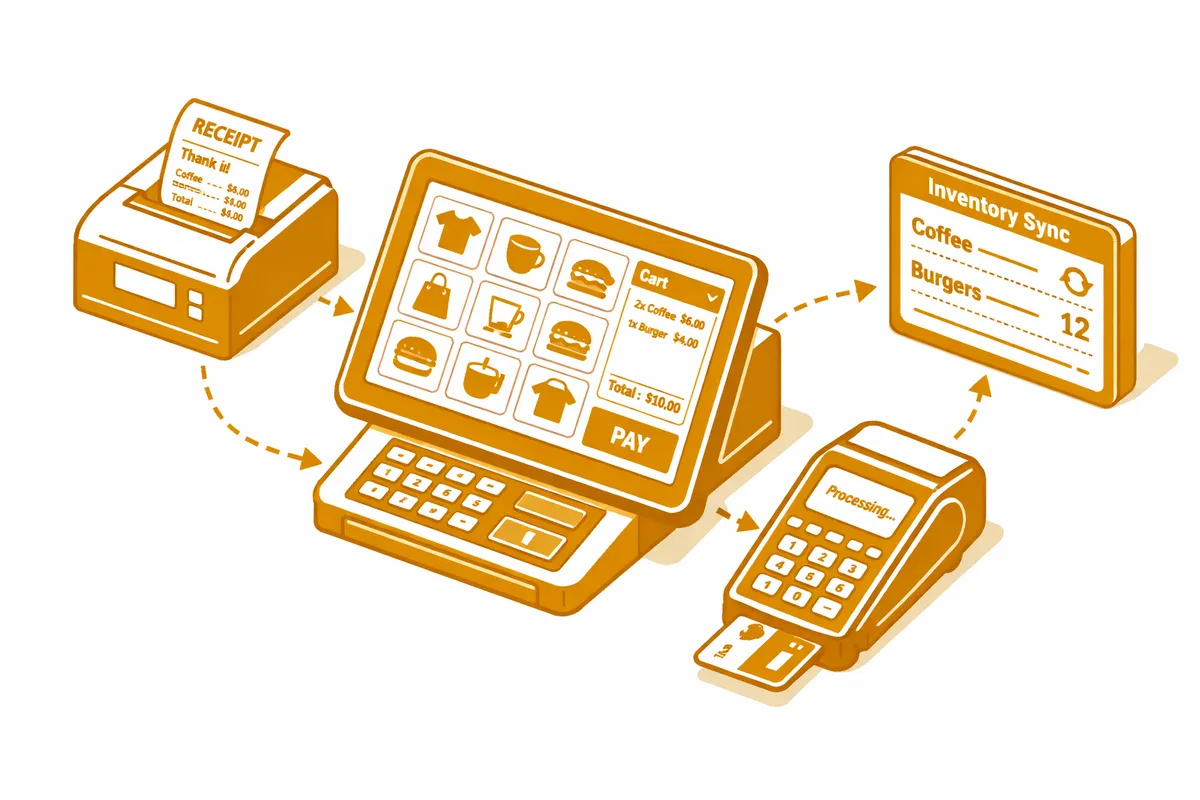
Integration is where most POS setups fall short. We connect your POS to your inventory management system so a sale decrements stock automatically. We connect it to your accounting software so daily totals post without manual entry. For restaurants on Devon Avenue, we integrate with third-party delivery platforms so orders from DoorDash and Grubhub route directly to the kitchen ticket system without a separate tablet. For retail businesses on Clark Street, we integrate the POS with the ecommerce platform so in-store and online inventory share a single count.
Staff training is the final layer. A well-configured POS that staff use incorrectly produces bad data. We run role-specific training for cashiers, kitchen staff, and managers: each group learns exactly what they need without being burdened with the full system's complexity.
Industries We Serve in Edgewater
Ethnic restaurants and cafes along Devon Avenue represent the highest-complexity POS use case in Edgewater. Multi-language menus, modifiers that reflect regional dish variations, table management for full-service dining, kitchen display routing that separates food from beverages, and split-check handling for large family parties: we configure each of these rather than leaving them at default. Restaurant owners near the Edgewater Historical Society who have tried to run a full-service operation on a basic tablet setup know exactly how much friction a properly configured restaurant POS eliminates.
Coffee shops on Clark Street and Broadway run high transaction volumes with a narrow product range and need POS systems optimized for speed and loyalty program integration. We configure the modifier flow for espresso drink customization so a four-modifier order takes three taps rather than eight, set up the loyalty punch card or points system, and wire the reporting to show the daily product mix that determines ordering quantities for the week.
Independent bookstores on Clark Street manage distinct POS requirements for new and used inventory, gift cards, and the event ticket sales that have become a meaningful revenue line for neighborhood bookstores with strong community programming. We configure multi-tender transactions, gift card balance tracking, and the reporting views that show sell-through velocity by genre and format.
Yoga studios and fitness businesses on Granville Avenue and Broadway sell class packs at the front desk using the same POS that also handles retail merchandise and guest drop-in payments. We configure the studio's POS to handle each transaction type correctly, integrate it with the scheduling platform, and set up the reporting view that shows daily revenue split between memberships, retail, and one-time drop-ins.
Real estate offices near Berger Park that take application fees, security deposits, and service retainers need POS setups that handle these transaction types with correct accounting categorization and the audit trail that property management requires. We configure the chart-of-accounts mapping so every transaction type posts to the right category in the accounting system rather than landing in a generic income bucket.
Dental and medical practices on Bryn Mawr Avenue increasingly process copayments, product sales, and treatment plan deposits at the front desk using integrated POS systems that connect to their practice management software. We configure the integration between the POS and the practice management platform so payment records do not require duplicate entry, and we set up the reporting that shows daily collection rates against scheduled production.
What to Expect Working With Us
1. Operational assessment and platform recommendation. We spend time in your business, observing an actual operating shift, before recommending a POS platform. For a Devon Avenue restaurant, that means watching how servers manage table orders, how the kitchen communicates with the front of house, and how the end-of-day reconciliation currently works. The recommendation follows from what we observe, not from a product preference.
2. Configuration and menu or product build. We configure every aspect of the POS specific to your business: menu items and modifiers for restaurants, product variants for retailers, class and membership product types for studios. This is not a template setup. Every item, every modifier group, every tax configuration, every printer routing gets set intentionally.
3. Integration setup and testing. We wire your POS to your inventory system, your accounting software, your loyalty program, and any delivery or booking platform integrations. Each integration gets tested with real transaction flows before going live. An integration that fails during the Berger Park summer season at peak volume is a problem you cannot afford.
4. Staff training by role. We run separate training for cashiers, for managers who run reports, and for any staff with admin access. Training is hands-on rather than video-based, using your actual configured system so staff practice on real menus and real product lists. We provide a written quick-reference guide for each role that stays at the register for the first 30 days.